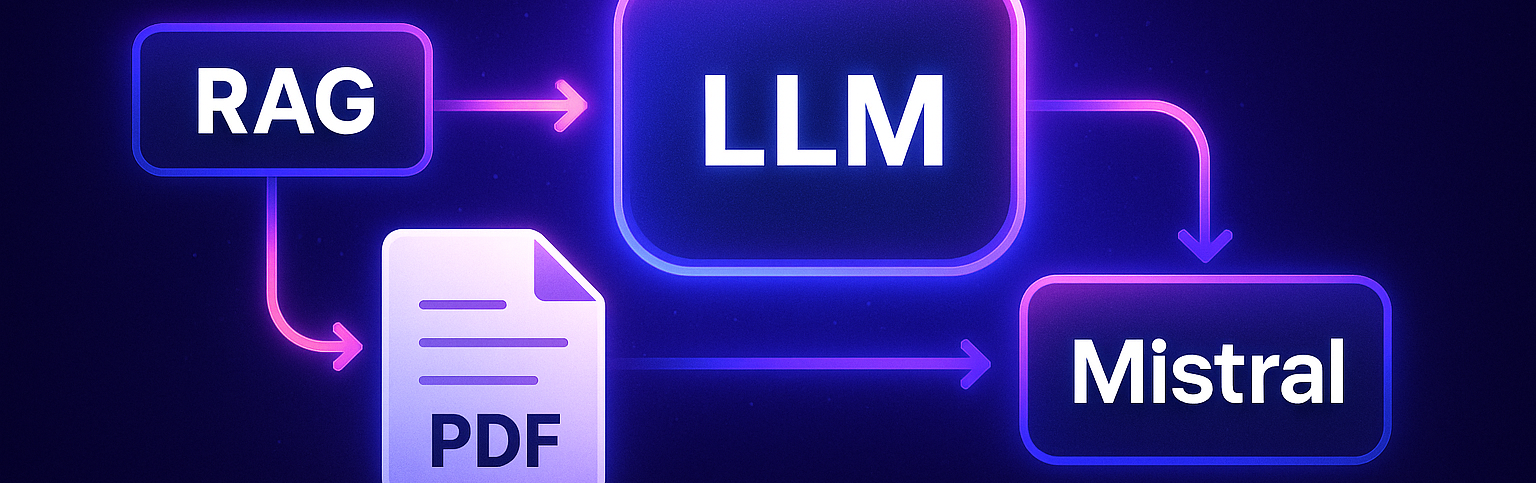


I wanted to learn how to use text generation models, and their application in a Retrieval Augmented Generation (RAG) context particularly attracted me. The idea is to allow a user to upload their own documents and then ask questions that a language model (LLM) can answer, based directly on these documents.
To start, I decided to focus on a simple format: PDF files (maybe videos will come later?)
To quickly build a prototype, I used Streamlit, a Python package that makes it easy to create web applications. This way, the user can upload a PDF, ask a question, and receive an AI-generated answer.
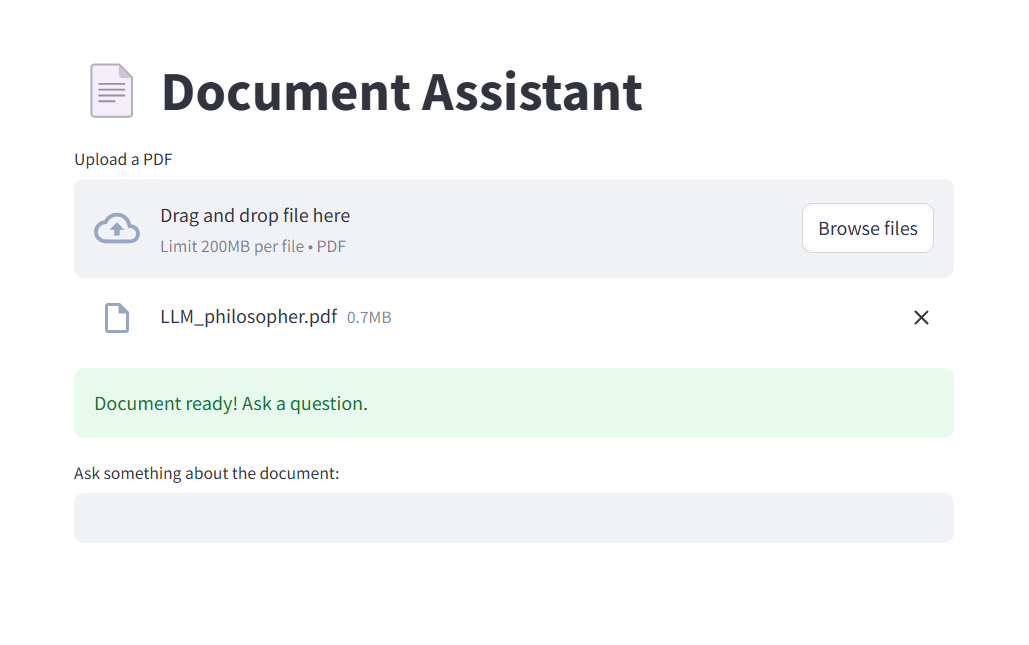
For the AI part, I mainly used LangChain, a very practical framework for building applications that use LLMs. LangChain simplifies connecting to different data sources, managing conversations, memory, and so on.
1. Extracting and preparing the text
I start by extracting all the text contained in the PDF. This text is then split into several fixed-size pieces, called "chunks":
• Each chunk is 500 characters long.
• The chunks overlap by 100 characters to avoid cutting a sentence or an idea in the middle and thus losing important context.
2. Creating the vector space
Each chunk is transformed into a numerical vector (called an embedding), which captures its meaning. Thus, two chunks covering similar topics will have vectors close to each other in this space.
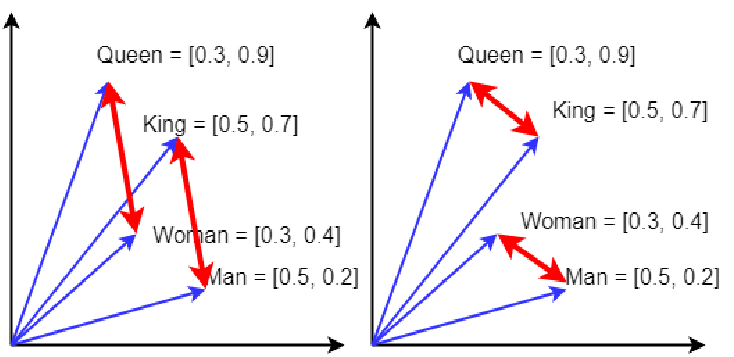
To generate these embeddings, I use the "all-MiniLM-L6-v2" model from Hugging Face, via LangChain.
Then, thanks to FAISS (Facebook AI Similarity Search), integrated into LangChain, I build a vector space containing all the embeddings.
This space then makes it possible to quickly retrieve the most relevant passages depending on the question asked.
3. Asking a question and generating the answer
When a user asks a question, the application:
• Searches in the vector space for the chunks closest to the topic of the question.
• Sends these chunks as context to the language model, along with the question.
To do this, I use a standard prompt template provided by LangChain:
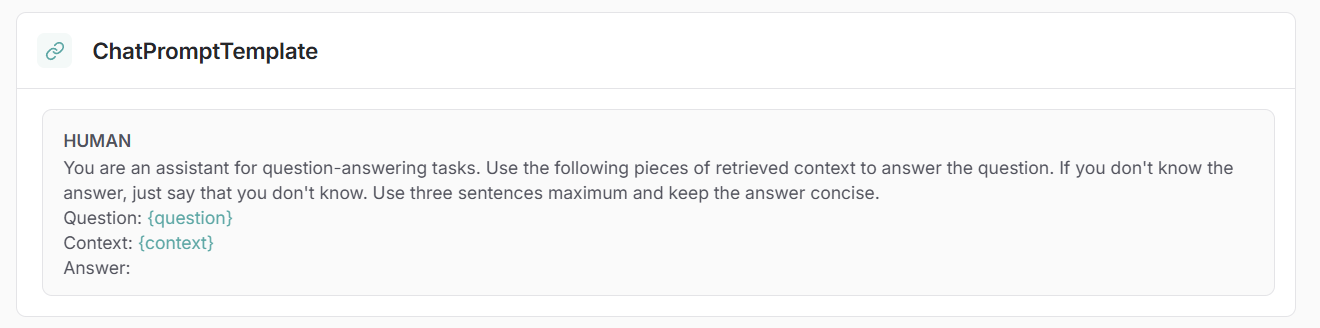
This prompt automatically inserts the question and the context before sending them to the LLM, which then generates a precise answer.
To simplify the operation flow, I built a LangChain graph that chains all these steps automatically: from context retrieval to calling the language model.
The application is then fully functional!
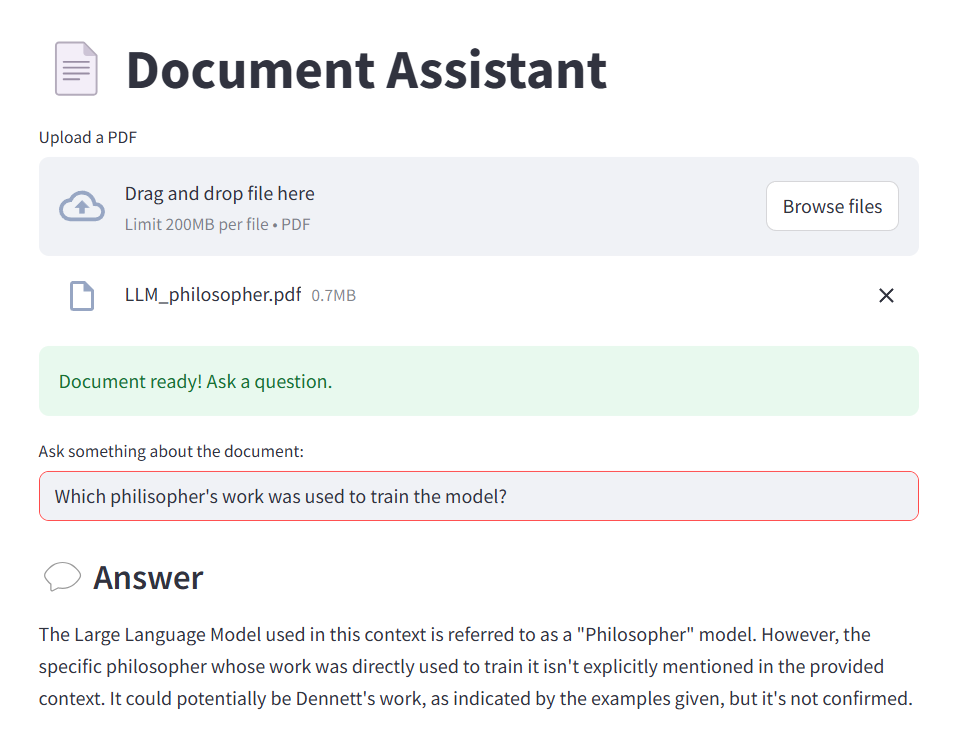
Analyzing multiple PDF files
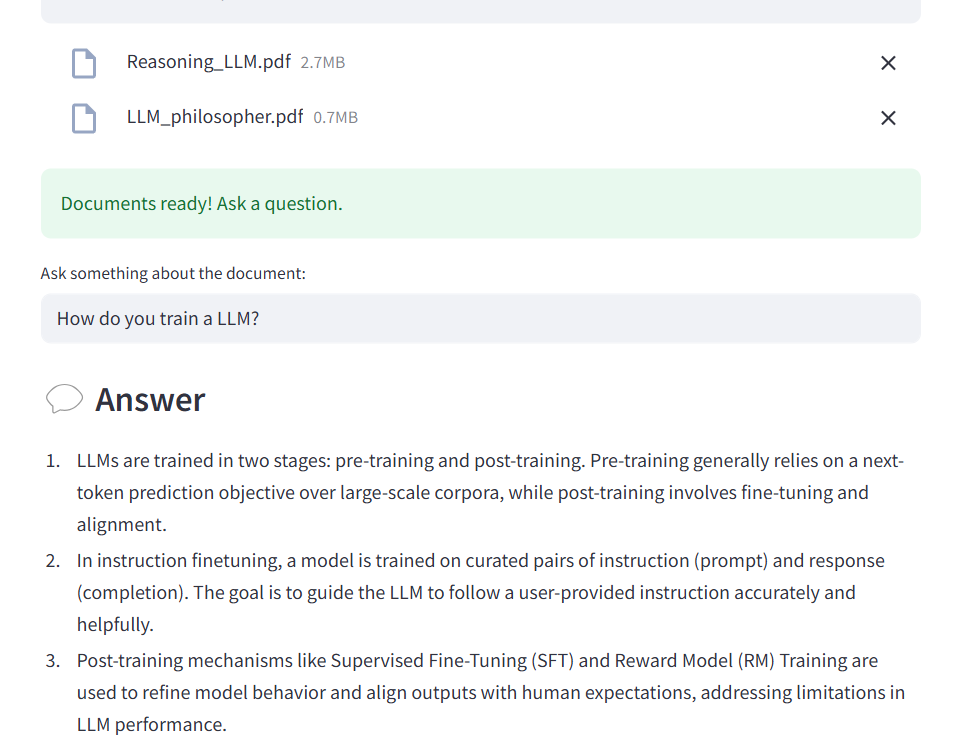
The first improvement was to allow the analysis of multiple files at the same time.
To do this:
• I modified the Streamlit widget to accept multiple file uploads.
• I extract and split the text of each file individually.
• All the chunks are then combined into a single list to create a global vector space.
The LLM can then answer questions by consulting all the documents at once.
Displaying the sources used for the answer
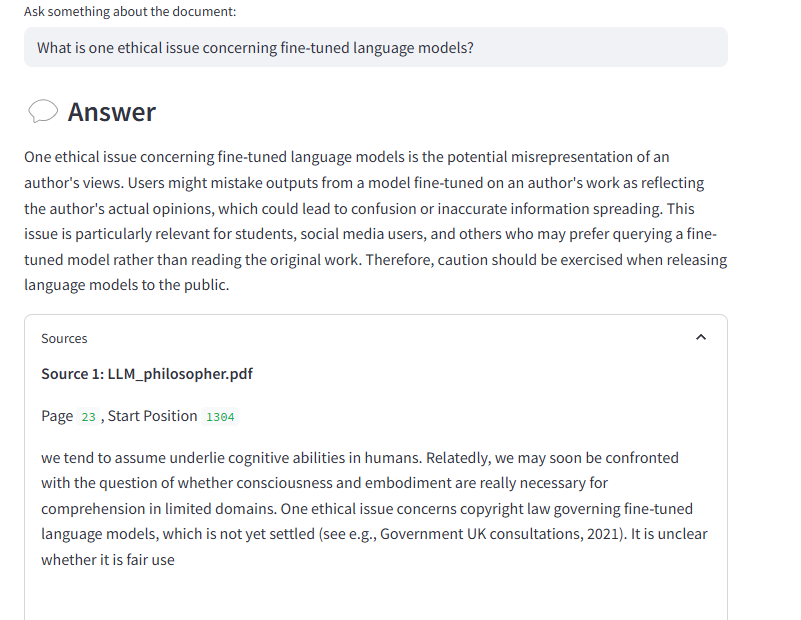
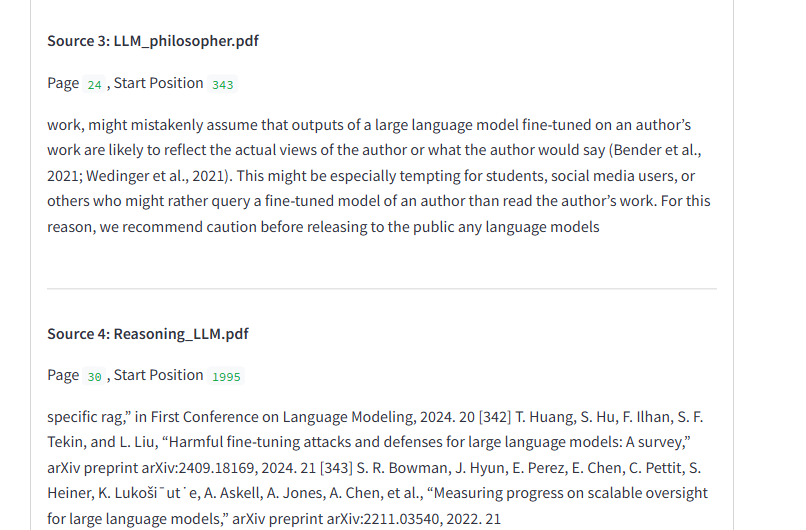
I also added a feature to display the sources the model used to formulate its answer.
Indeed, each extracted context piece is linked to:
• The chunk's text.
• The source PDF file.
• And its position in the document.
After each answer, a collapsible section allows the user to read the exact excerpts that helped build the answer.
This project allowed me to deeply understand how to combine information extraction, vectorization, and text generation to create an interactive application.
The next step will surely be to add memory to the model to create a conversation flow, and then explore new types of documents, such as video transcripts.